How to make a cookie cutter from a picture
Got a photo of a pet, a character or a logo and want a cookie cutter in that shape? This tutorial takes you from the picture to a cookie cutter with a stamp, ready to 3D print, without tracing a single line by hand: an AI tool turns the photo into line art and the program builds the cutter.
In this tutorial
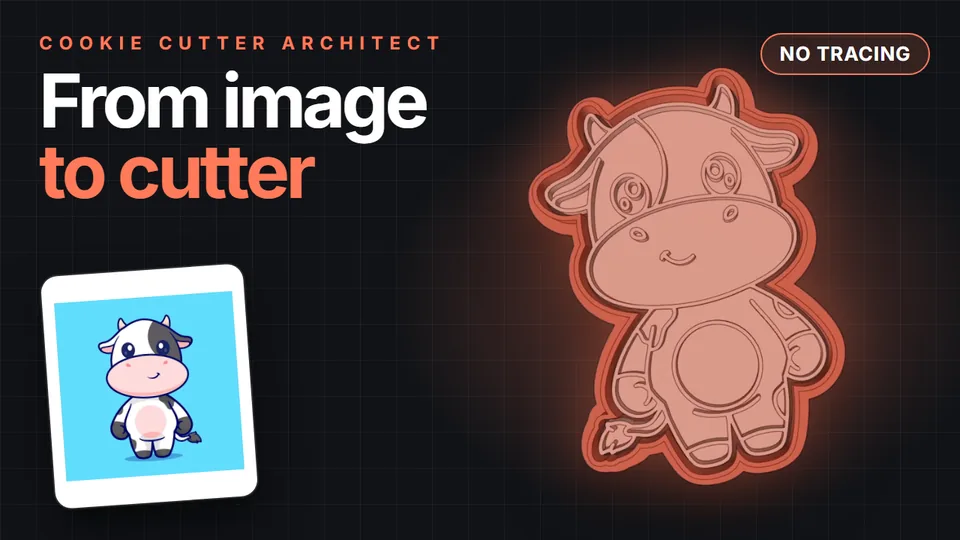 Video tutorial · 2 minutes
Watch the whole process on video
A cow picture becomes line art with ChatGPT, then a cookie cutter with a stamp, then a print-ready file.
Watch it on YouTube
Why a photo won’t work as is
Cookie cutter software traces the outline of the dark areas in an image. A photo has shadows, gradients, textures and a background, and all of that turns into blobs that are no good for cutting or for pressing details into dough. What works is a drawing with black lines on a white background, with a closed outer outline and a few inner details.
So the real work is turning the photo into that drawing. Once you have it, building the cutter takes a couple of minutes.
3 ways to turn a picture into line art
- Trace it by hand: lay a sheet over the printed photo, go over the outline and details with a black marker, then scan or photograph the drawing. Simple, and no special tools needed.
- Trace it in a drawing app: with CorelDRAW, Inkscape (free) or a similar app, you draw the lines over the photo. The cleanest result; our main tutorial has a video showing it.
- With AI, no tracing: give the photo to a tool like ChatGPT and ask for the line art. The fastest way, and the one this tutorial follows.
Pick the picture
The clearer the photo, the better the drawing:
- The whole subject in frame and clearly visible, not cut off at the edges.
- Nothing covering it.
- Good lighting and, if possible, a plain background.
- Illustrations and cartoons work better than real photos, because they already have clear outlines.
Rights: if you sell the cookies or the cutters, use your own photos and images or ones licensed for that. Characters and brand logos are protected.
Turn it into line art
Open ChatGPT (or another AI tool that creates images), attach the photo and paste this prompt. It’s the one we used in the video:
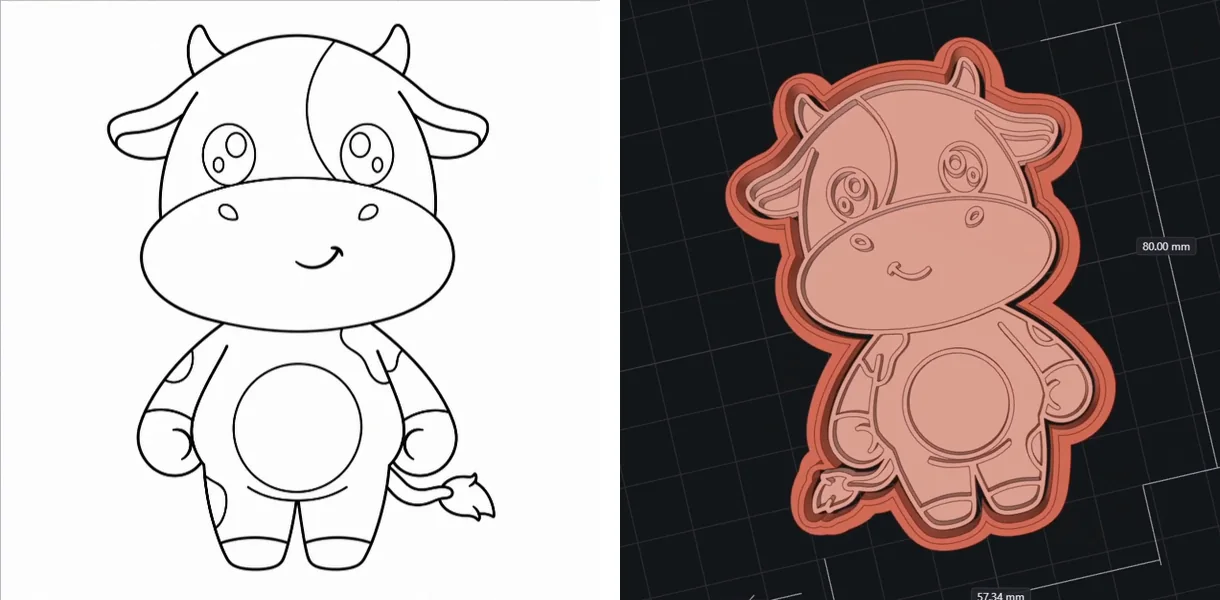
Create an image: a drawing on a white background with thin, even black lines, the same width everywhere, like a pencil drawing, of the design I'm sending, to make cookie cutters. Every line must be exactly 0.82 mm. No solid fills: only lines and outlines at 0.82 mm. Don't draw eyes with solid black fill. One single stroke per outline, no double lines. Don't ask me any questions.
What matters is that the lines come out thin and even, with no solid black fills and one single stroke per outline. If you don’t like the result, ask it to fix something (for example, “remove the fill in the eyes”) or generate it again.
Check the drawing
Before building the cutter, look closely at the drawing:
- Closed outer outline: if the silhouette has a gap, the cutter comes out open.
- No double lines: two lines stuck together press as one thick line or disappear.
- No solid black areas: on the stamp they become a flat raised surface, not a detail.
- Details not too small: on a 3-inch (8 cm) cookie, anything under a couple of millimeters won’t show.
If needed, touch it up right in the program’s editor: close an outline with the pencil, erase a smudge or fill a gap.
Build the cutter
Drag the drawing into Cookie Cutter Architect (or use Open image). Then:
- Choose the Cutter + Stamp piece type: the cutter cuts the silhouette and the stamp presses the drawing’s details.
- Enter the cookie size, for example 80 mm (about 3 inches) tall. The wall and base are added outside it, so the cookie comes out at exactly that size.
The built-in profiles already come with tested values for the blade, the wall and the stamp. In the video example: an 80 mm cutter, 1 mm wall, 10 mm blade and a stamp with 6 mm relief.
Check it in 3D, export and print
Rotate the model and make sure the stamp’s details look well defined. When it looks right, click Export to save the STL and open it in your slicer (PrusaSlicer, Bambu Studio, OrcaSlicer or Cura).
- Standing on its base, with no supports.
- 0.3 mm layers, 2 perimeters and 50% infill.
In the example, the cutter and stamp printed together in about an hour with 16.7 g of filament (PrusaSlicer estimate).
Try it free: you can download the program and do all these steps without paying. Exporting the file requires a subscription.
Tips for a good result
- Less is more: if the AI adds too much detail, ask for a simpler version. A cutter with a few clear lines presses better than a busy one.
- Pets and people: they work better as a cartoon-style drawing than as a realistic portrait.
- Logos and text: if the logo is already a vector file (SVG), open it straight in the program: no AI needed.
- Test small first: if you’re unsure about a detail, print just the stamp at a smaller size to see how it presses.
For everything else (sizes, filament, common mistakes and using it with dough), see the complete cookie cutter tutorial.
Frequently asked questions
Can I make a cookie cutter from any photo?
Almost any, as long as the subject is complete and clear. The photo isn’t used as is: first it’s turned into line art, by tracing it or with an AI tool, and that drawing is what becomes the cookie cutter.
Do I need to know how to draw or model in 3D?
No. The AI makes the line art and the program builds the 3D cutter from it. You only choose the piece type and the size.
Can I make a cookie cutter from a photo of my pet?
Yes. Ask the AI for a cartoon-style drawing of your pet, with thin lines and no fills. Simple shapes look much better on a cookie than a fully detailed portrait.
What if the AI draws thick lines or solid fills?
Ask it to fix that (“thinner lines,” “no fill in the eyes”) or generate it again. You can also erase or touch up specific areas in the program’s editor.
Can I sell the cutters or the cookies?
Yes, as long as the starting image is yours or licensed for that. Characters and brand logos need the owner’s permission.
Turn your picture into a cookie cutter
Download Cookie Cutter Architect for free, open your drawing and see the cutter in 3D in seconds.