Cookie cutter STL maker: how to turn any image into a printable STL
A cookie cutter STL maker takes a flat image and builds the 3D model of the cutter for you: the cutting wall that follows the outline, the base you press on and, if you want, a stamp for the inner details. You open the image, choose the piece type and the size of the cookie, and export an STL file that any slicer can print. Here’s how to do it, and what to check before you print.
In this guide
What an STL file is
An STL is the most common 3D printing file: it describes the surface of the piece as a mesh of tiny triangles. Your slicer (PrusaSlicer, Bambu Studio, OrcaSlicer or Cura) opens it, cuts it into layers and sends it to the printer. 3MF does the same job and also keeps the units and several pieces in one file, so it’s handy for a cutter and its stamp.
Open the image
In Cookie Cutter Architect, click Open image, drag the file onto the window or paste it with Ctrl+V. PNG, JPG, WebP and SVG all work. The best starting point is a drawing with dark lines on a light background and a closed outline.
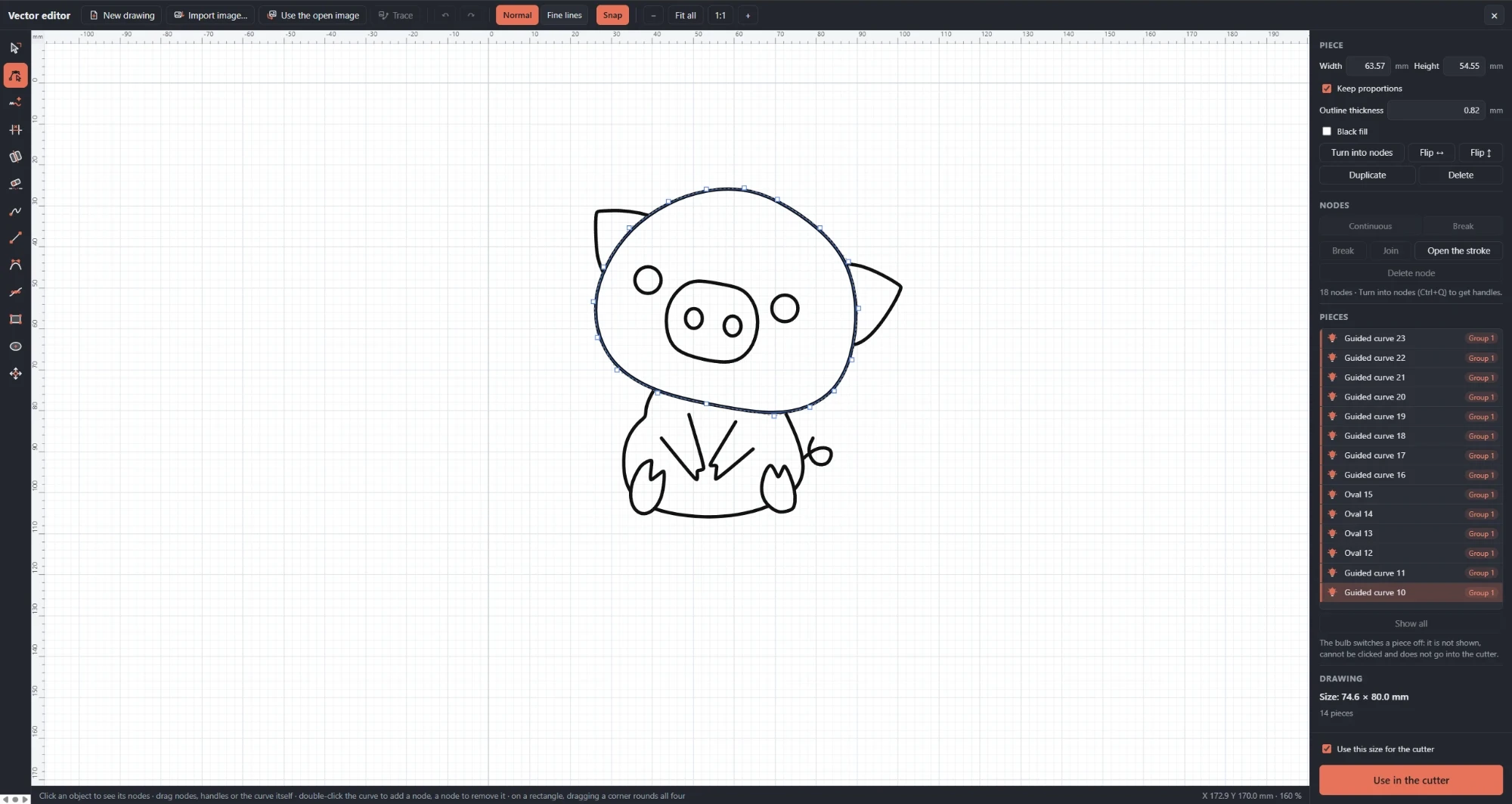
No drawing yet? Open the Vector editor and draw the shape with curves and nodes, or trace it over a guide image. A clean, well-defined logo can be turned into curves with Trace; other images are traced by hand inside the editor.
Choose the piece type
- Cutter: cuts the silhouette only.
- Imprint: cuts the silhouette and presses the inner details into the dough, in one piece.
- Cutter + Stamp: two pieces, the outline cutter and a separate stamp for the details.
- Multi Cutter: several cutters joined in one piece to cut several cookies at once.
There are also pedestal stamps, stencils and texture plates.
Set the cookie size
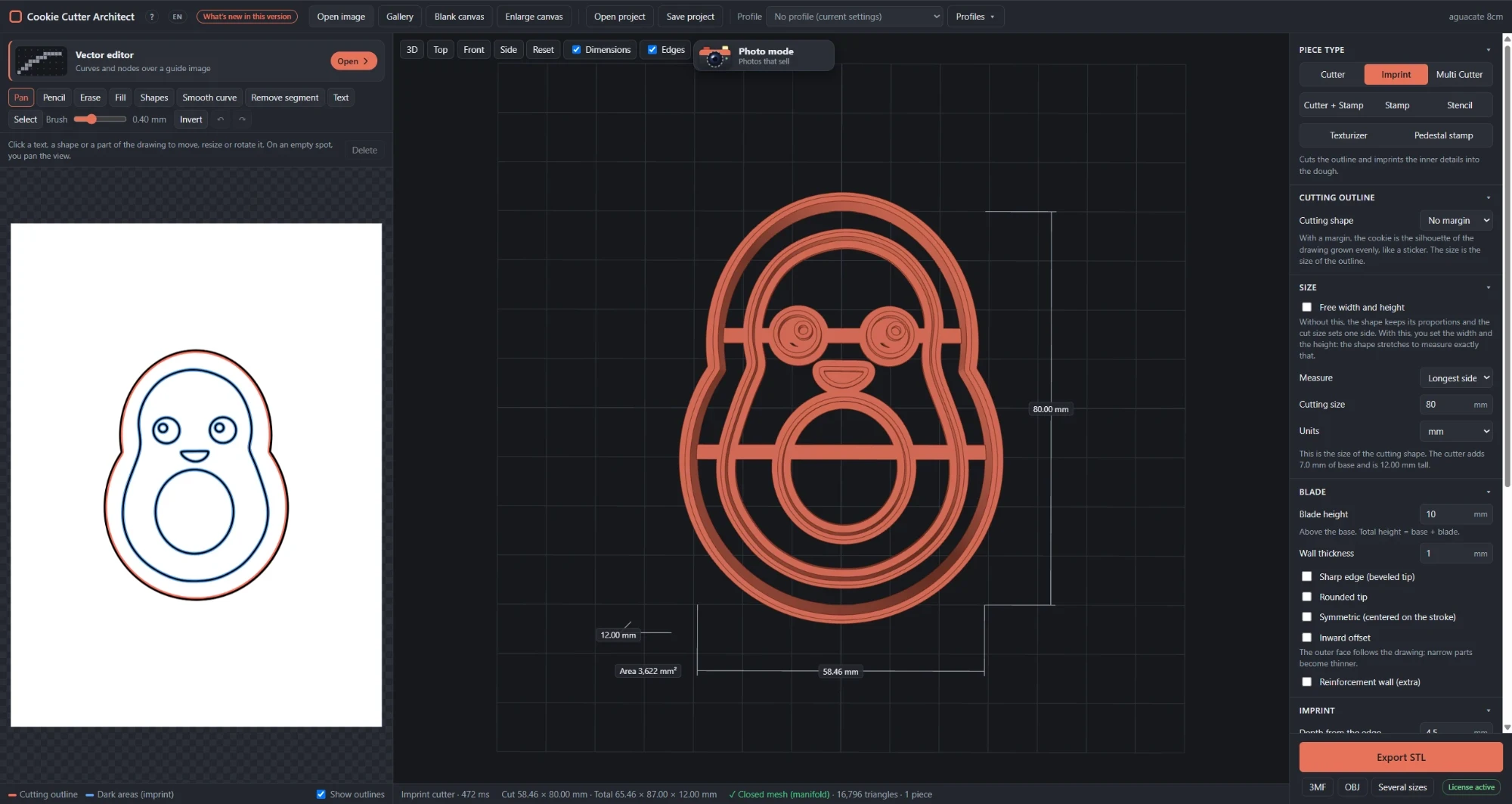
Enter the size of the cookie, for example 3 inches (8 cm) on the longest side. The base and the wall are added outside that size, so the cookie comes out exactly as big as you chose. Set the size here, not in the slicer: scaling the STL afterward also scales the wall and the base.
Check the model in 3D
The 3D view updates as you change settings. Rotate it, look at the top and side views and check the measurements. At the bottom, the program tells you whether the mesh is closed (manifold) and ready to print.
Export the STL
Click Export STL, or choose 3MF or OBJ. With Cutter + Stamp you can export the two pieces together or separately. To make the same design in several sizes, Several sizes exports them all at once; designs made in the vector editor keep the stamp lines at the same thickness at every size.
Try it free: you can download the program and do every step above without paying. Exporting the file requires a subscription.
Checklist before you print
- Closed mesh: the program confirms it at the bottom of the window.
- Size: the cookie size you entered, with no scaling in the slicer.
- Wall: 0.8 to 1.2 mm, which is 2 or 3 lines with a 0.4 mm nozzle.
- Base: 2 to 3 mm.
- Print settings: standing on its base, no supports, 0.3 mm layers, 2 perimeters and 50% infill.
A 3-inch cutter with a stamp prints in 30 minutes to an hour with 12 to 20 g of PLA. More sizes in how much filament a cookie cutter uses.
Frequently asked questions
What is a cookie cutter STL maker?
A program that turns a flat image into a 3D model of a cookie cutter and exports it as an STL file you can print. Cookie Cutter Architect is one, for Windows 10 and 11.
Can I make a cookie cutter STL from a photo?
Yes, if the subject stands out clearly from the background. If not, turn the photo into line art first, or trace it in the vector editor. See how to make a cookie cutter from a picture.
STL or 3MF: which one should I export?
Both print the same. 3MF keeps the units and several pieces in one file, which is handy for a cutter and its stamp; STL opens in any program.
Can I make a cookie cutter STL from an SVG?
Yes. Open the SVG like any image and the program builds the cutter from its shapes.
Make your first cookie cutter today
Download Cookie Cutter Architect for free, open your image and see the cutter in 3D in seconds.